Notification letters for your bank, employer and insurers, written for you
Get a separate, unbranded notification letter for each bank, employer, insurer, and other organization you list that takes a written request, ready to sign.
Notification letters, in plain words
A separate organization keeps each account or record, so each one needs its own clear request. You list the banks, credit cards, employer records, retirement plans, insurers, utilities, subscriptions, professional credentials, and other places that still carry your former name. The kit writes a letter for every listed organization that accepts a written request.
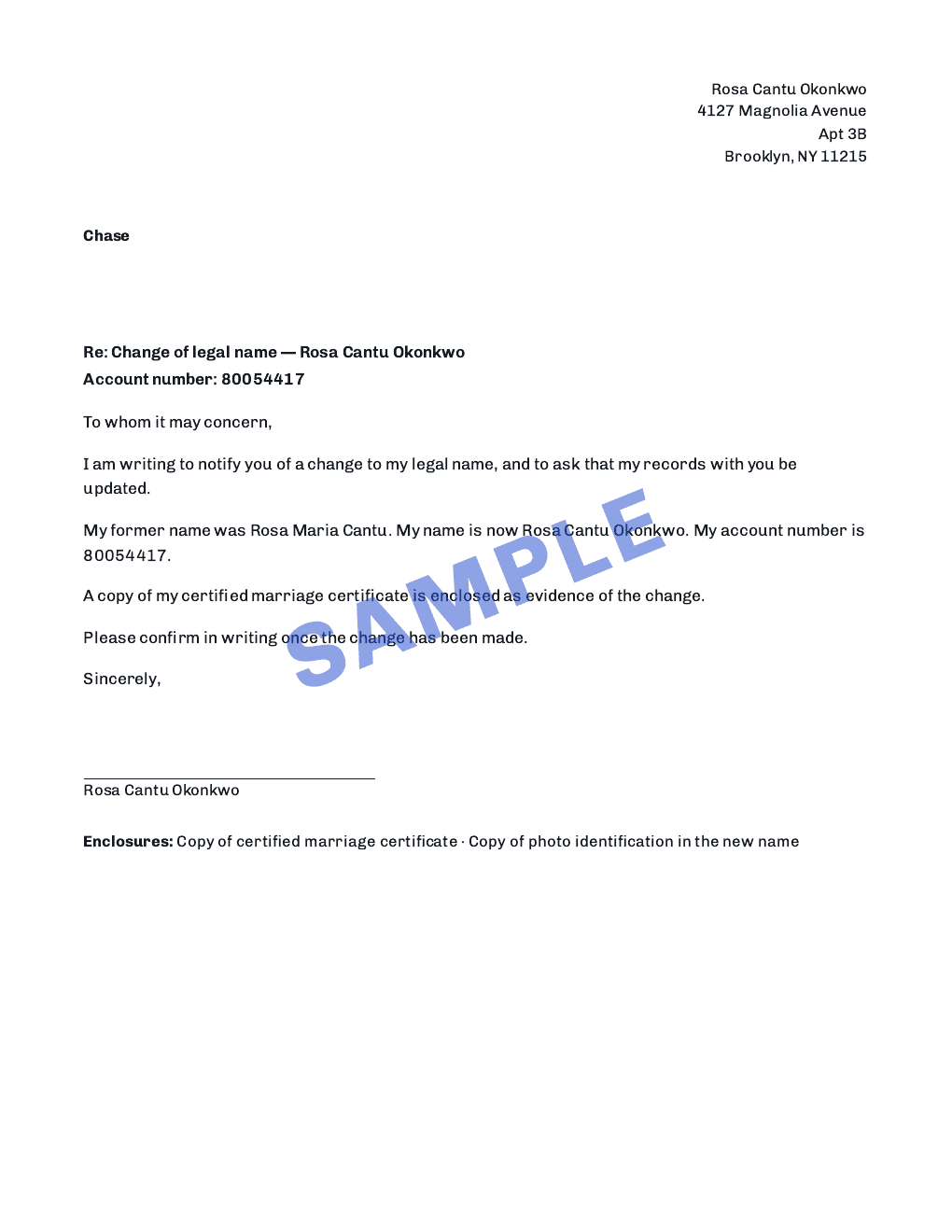
Each letter identifies your former name and the name you use now, states which supporting document you will enclose, and asks the recipient to update its records. The closing changes with the recipient category. An employer request covers payroll and HR records, while a professional licensing request asks where to find any form that board requires.
The who-to-notify step accepts any organization. If none of the named categories fits, choose Other and enter the organization in your own words. The resulting letter makes a plain records request without guessing whether the recipient calls its identifier an account, policy, member, license, or reference number.
An account reference appears only when you chose to provide one. If you leave it blank, the letter asks the recipient to locate the record under your former name and the address at the top. Your own note for that recipient is carried word for word rather than rewritten into a different claim.
The page sent to a third party carries no Name Change Works header, footer, or disclaimer. It reads as correspondence from you because it goes over your signature and concerns your own record. Your typed name appears under a blank signature line, and the date space stays empty until the day you sign and send it.
Some records are better handled inside an account or at an enrollment center. Trusted traveler records and airline or hotel loyalty profiles receive a checklist step instead of a letter because the product has no published mailing route for those requests. The checklist still keeps them in view without producing a page that has nowhere useful to go.
How it works in three steps
- 01
List who needs to know
Add each organization, choose the closest category, and include a mailing address, account reference, or personal note only when you want it on that recipient's page. Other remains available for any organization that does not fit a preset label.
- 02
Get one finished letter per recipient
The kit writes each request with your names, the evidence you will enclose, and wording suited to that kind of record. Every letter stands on its own page, so you can send them on different days without separating a combined document.
- 03
Sign, enclose, and send
Add the date when you are ready, sign above your typed name, attach the copies named at the bottom of the letter, and use the recipient's current delivery instructions. If it answers with a form of its own, follow that organization's form.
See notification letters in the sample kit
Keep the rest of the paperwork connected
One purchase includes the whole digital kit
Digital costs $49 as a one-time purchase and includes every feature shown here. The printed option is not currently offered for new purchase.
If an agency sends one of our forms back, we prepare it again at no charge for one year after your purchase.
Questions and answers
Which organizations can I add?
You can add a bank, employer, retirement plan, insurer, utility, subscription, professional board, military benefits office, or any other organization. The Other option takes the organization name you enter without assigning it an invented record type.
Do the letters carry Name Change Works branding?
No. They have no service header or footer. They are addressed from you to the organization, carry your typed name under the signature line, and are signed by you before they are sent.
What if an organization uses its own form?
Use the organization's form and follow its current instructions. The letter can still open the request and give the records team your names and supporting document in one place.
Are the letters sent for me?
No. You decide when each request is ready, add the date and signature, include the listed copies, and send it using the route the organization currently accepts.
Sources
- /sample#letters accessed
The plate contains the unbranded letters the kit produces.
- /help/notification-letters/who-needs-a-letter accessed
The shipped help page lists the organization categories and the two instruction-only cases.
Checked on